👤 Users
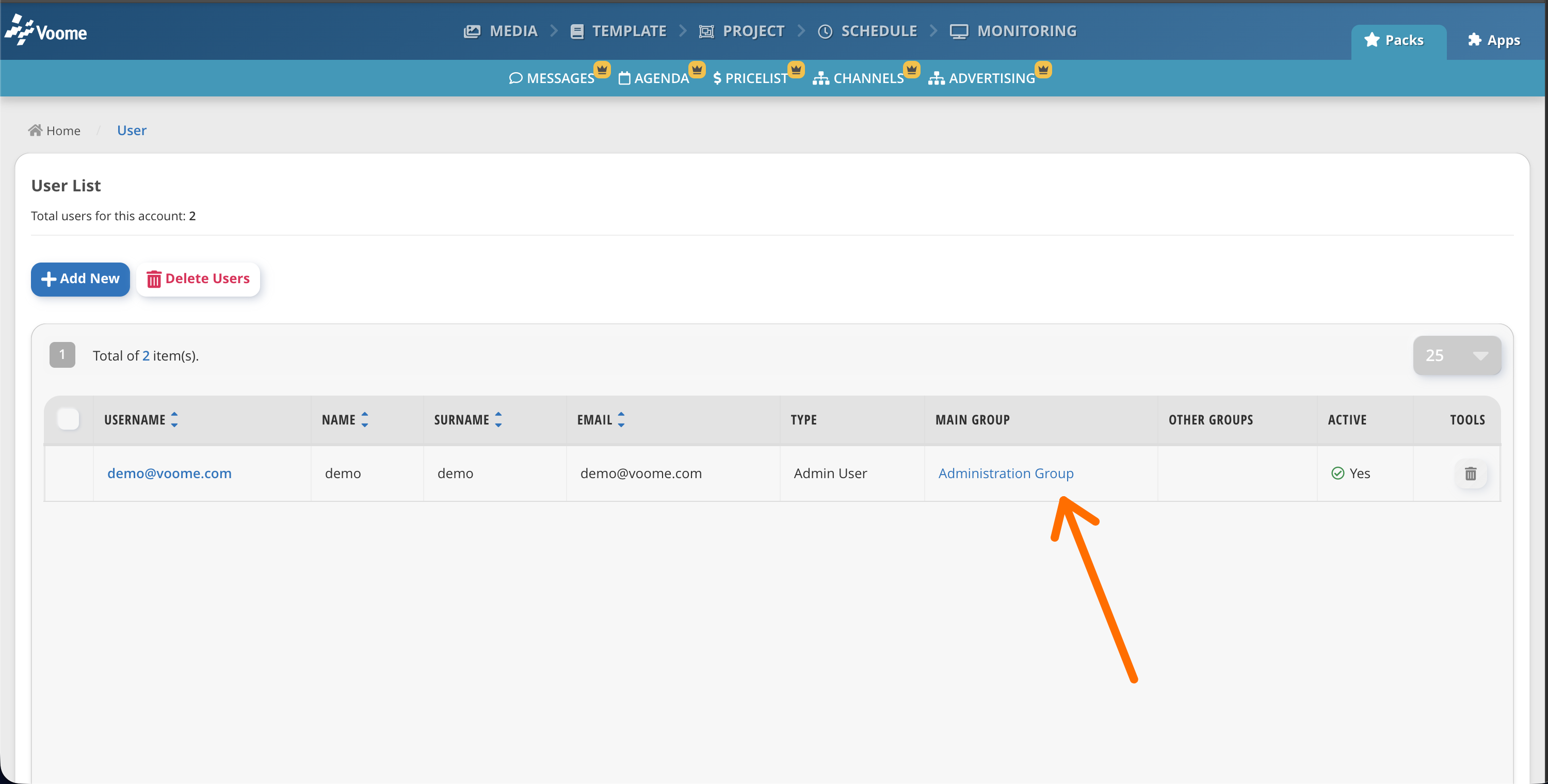
A user is a single account that signs in to Voome. Every user belongs to a Main Group, which decides what that person can see and manage (see Groups).
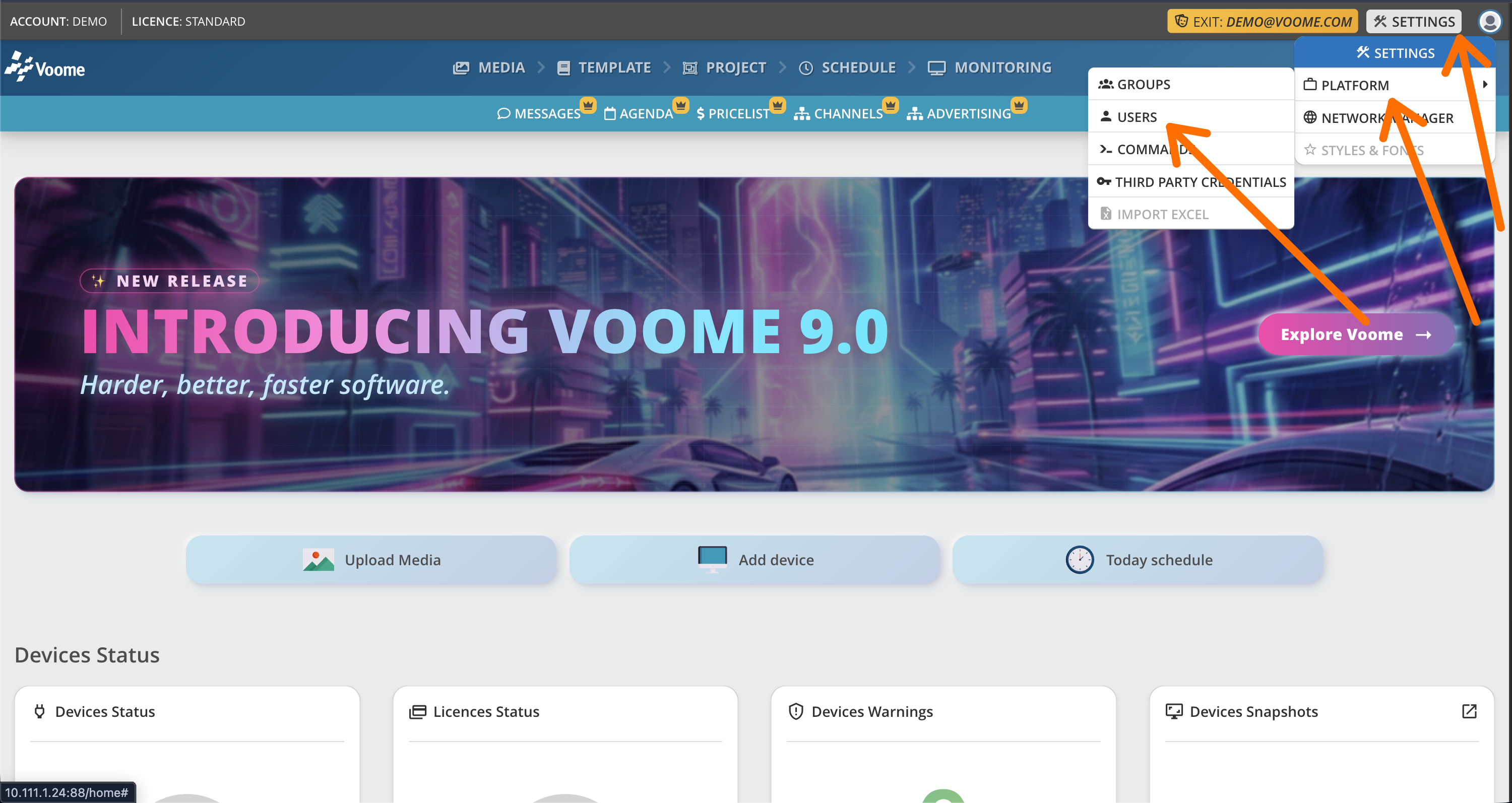
📍 How to access Users
In Voome CMS, click Settings > Platform > Users.
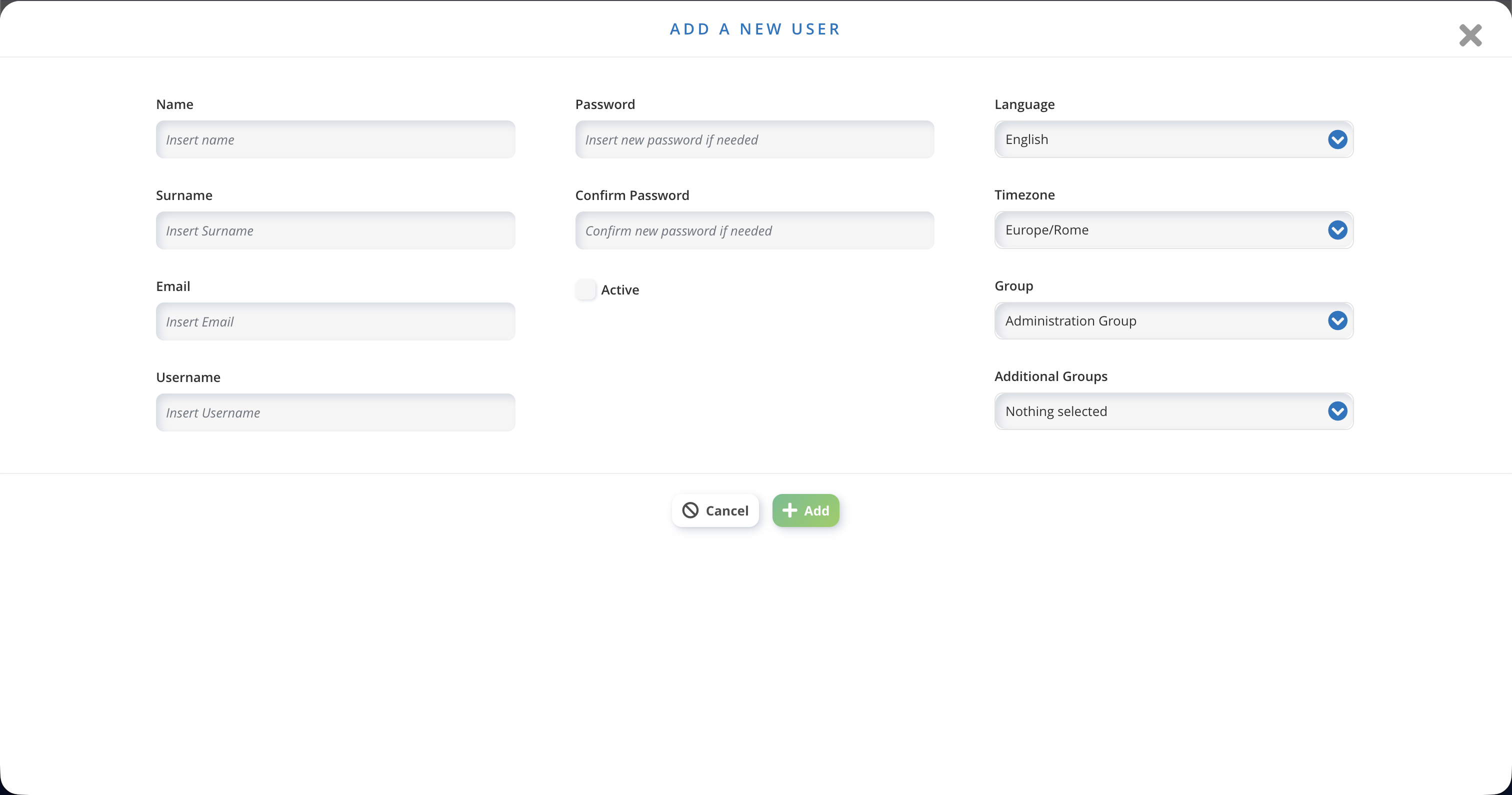
➕ Add a new user
- Click Add new.
- Fill in the requested fields, including the email address and the first password.
You set that first password yourself. The user can change it later from the login page, through the forgotten password procedure, which sends a reset email to the address you entered.
❓ How many users can I create in my account?
There is no limit on the number of users in an account. Create as many as you need.