🖥️ Welcome to Signage
👋 Welcome to Voome. This page gives you a quick tour of the platform homepage and points you to your first task. If you're brand new, start here: it takes about a minute to get your bearings.
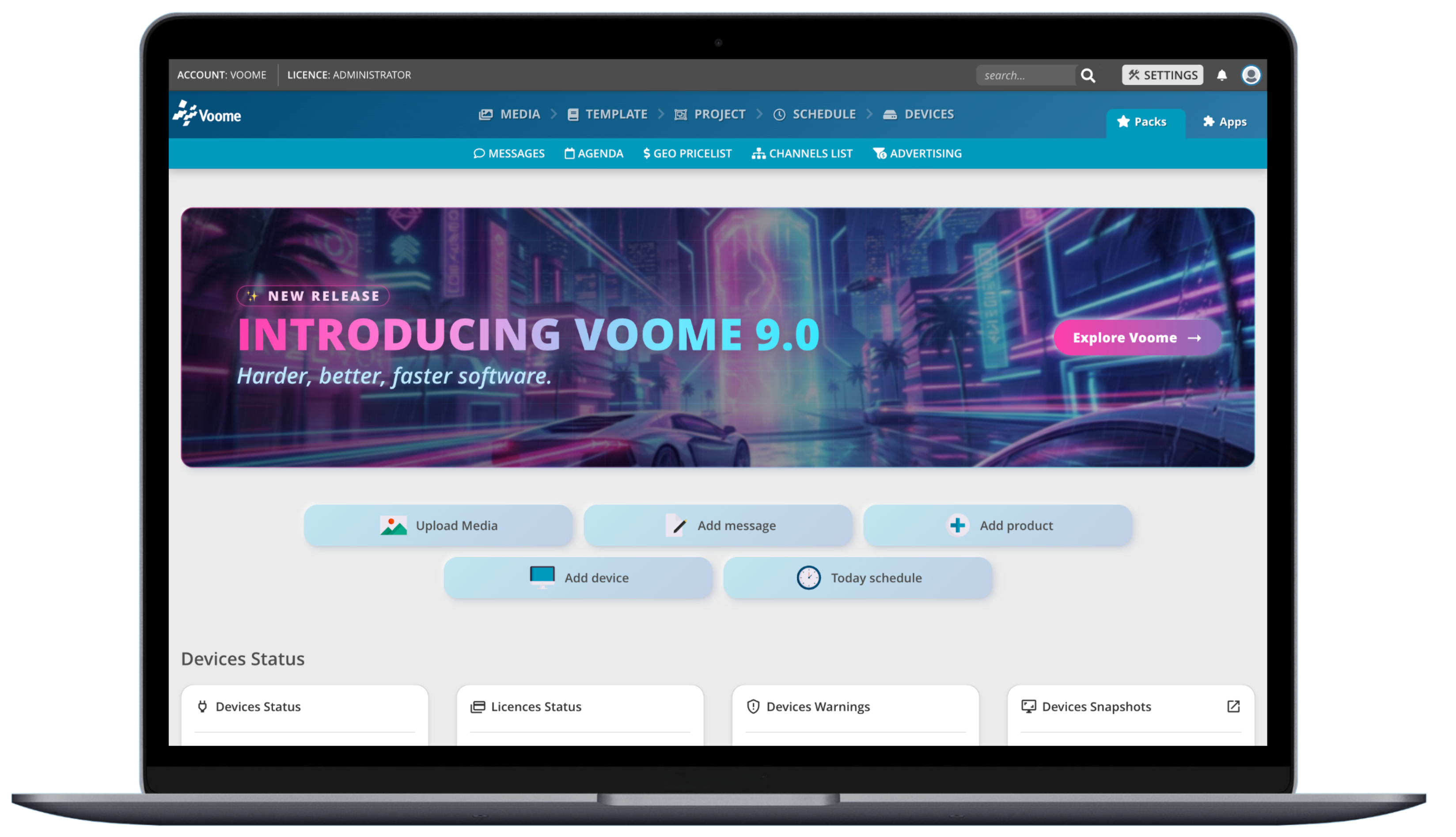 The Voome homepage, your starting point every time you log in.
🧐 Find your way around
When you log in, you land on the homepage.
The main navigation runs across the top: Media · Template · Project · Schedule · Devices. These are the five steps of the Voome Workflow, in the order you work through them to get content on screen.
The main menu is ordered the same way you actually work: add Media, pick a Template, build a Project, Schedule it, then push to your Devices.
🐇 Publish your first content
Ready to put something on screen? Our 🐇 Quick Guide walks you through the whole flow, from uploading media to going live, in five steps.
Want to go deeper afterwards? Explore Layers and Platform Settings.
🖥️ Devices Status / Monitoring
The Devices Status panel at the bottom of the homepage is your health dashboard. At a glance you can see:
- Devices Status: how many players are online vs. offline.
- Licences Status: your licence usage.
- Devices Warnings: anything that needs attention.
- Devices Snapshots: recent thumbnails of what your screens are actually showing.
The homepage is the fastest way to spot a screen that's gone offline or a warning that needs action. For full control, head to Device Management.