☝🏼 Touch Monitor: Bulletin Board
A bulletin board is a touch monitor that people browse themselves, instead of waiting for the right content to come round in the rotation.
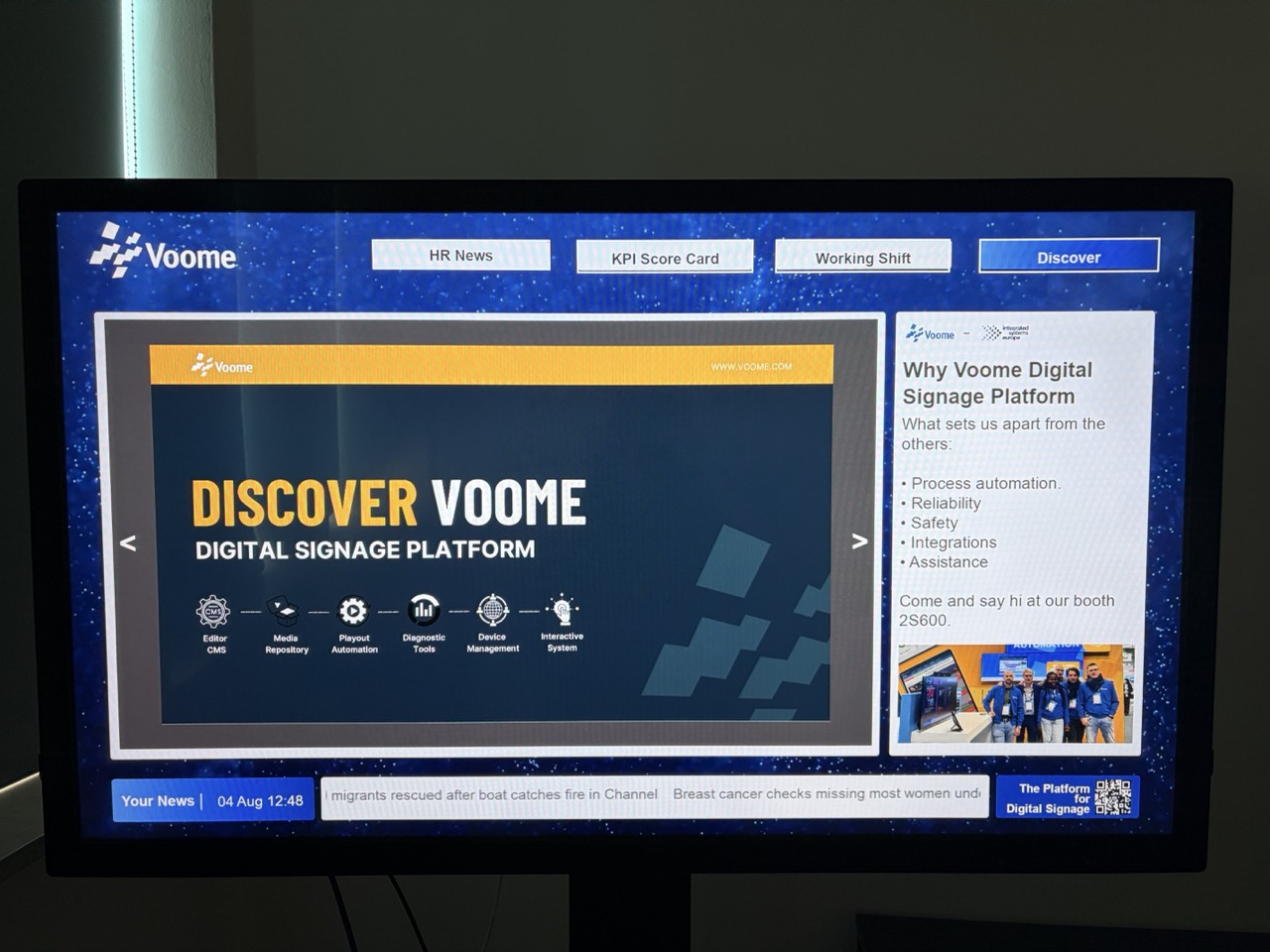
The content is organised into pages, and a row of buttons switches between them, for example HR News, KPI Score Card, Working Shift.
A central area carries the dynamic content, in this example a PDF reader with arrows to step through the pages. Around it, the fixed elements of the design stay where they are: the logo, a side panel, a news ticker along the bottom.
🏡 The board can also return to its home page on its own, after a set time with no interaction, so the screen is never left on the page the last visitor was reading.
🎯 It fits reception areas, staff rooms, and events, where one screen has to serve several kinds of information to the people standing in front of it.
📚 What you can put on it
A bulletin board is a set of projects that share a common layout and a set of buttons to move between them. Each board is built around what you need to show, so no two are the same: today's company news, the staff shifts, a set of PDFs people can page through, a live web page, or anything else you can build with a Voome layer.
🏗️ What is behind it
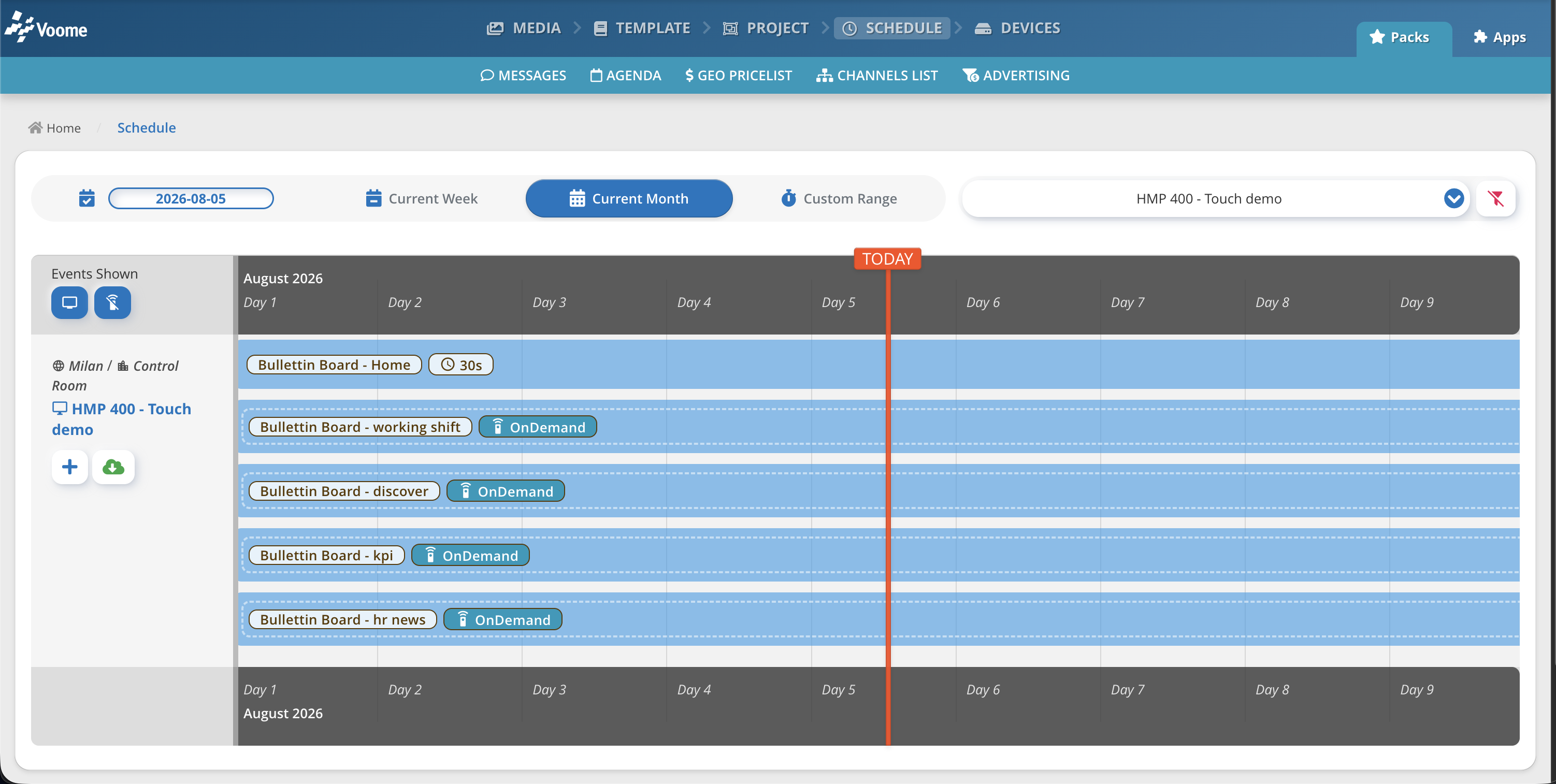
A bulletin board is a schedule holding two kinds of project on the same device, which has to be a touch screen:
- The home page: an ordinary project, scheduled and published as usual. It is what the screen initially shows.
- One project per page: each scheduled as an on demand project, so it stays out of the rotation until something calls it up. The steps are the same as for the Remote Launcher, except that here the trigger is a touch instead of the app.
Every project in the set carries its own touch points, so each page can lead to the other pages and back to the home page.
Touch navigation, API and socket triggers, and custom scenarios are configured for your account by the Voome team. Tell us what you want to happen on screen and we will put it together: book a demo if you are new to Voome, or open a ticket from the Support section if you are already a client.