👉🏼 Interactivity
Voome CMS lets you build interactive designs. Interactivity takes different forms, but they all share the same pattern: a trigger fires, and the content on a specific screen switches.
The trigger can be:
- A touch monitor: the viewer taps the screen.
- An API or socket call, preconfigured by the Voome team, so an external system can drive the screen.
- A custom scenario, built around the way you work, for example a sensor that reads a given temperature and changes what the screen is showing.
Three examples of what that makes possible.
☝🏼 Touch Monitor: Discover More
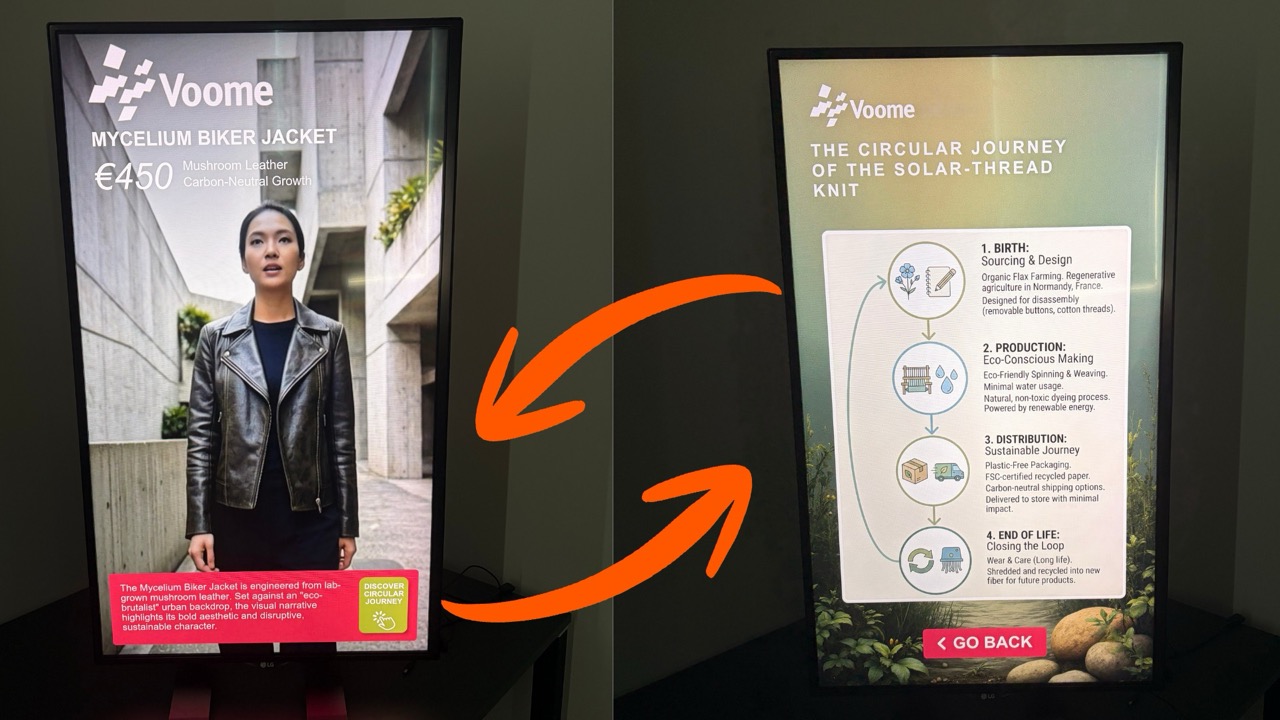
The screen plays an ordinary signage project, in this example a video playlist with a logo. One area of the design is turned into a button, here the DISCOVER CIRCULAR JOURNEY label in the bottom corner.
Tapping it brings up a hidden layer with the details, in this example a single image telling the story of the product. Tapping the button again, or the GO BACK button, returns the screen to the playlist.
🎯 It fits retail and showrooms, where the screen has to sell at a glance and keep the detail one tap away for whoever wants it.
☝🏼 Touch Monitor: Bulletin Board
The screen becomes a small portal that people browse themselves, instead of waiting for the right content to come round in the rotation.
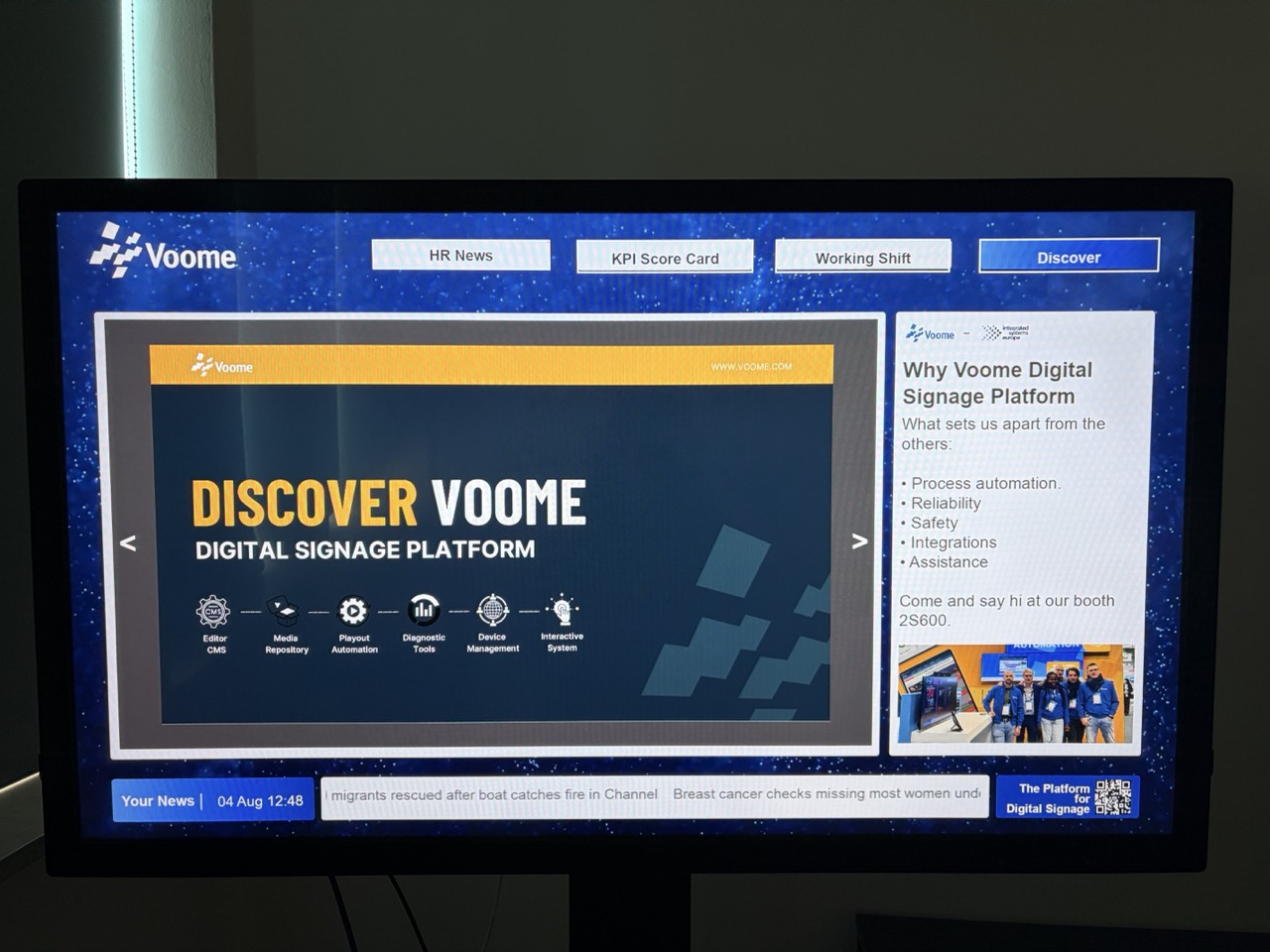
The content is organised into pages, and a row of buttons switches between them, for example HR News, KPI Score Card, Working Shift. Arrows step through the slides of the page currently selected, while the fixed elements of the design stay where they are: the logo, a side panel, a news ticker along the bottom.
🏡 The project can also return to its home page on its own, after a set time with no interaction, so the screen is never left on the page the last visitor was reading.
🎯 It fits reception areas, staff rooms, and events, where one screen has to serve several kinds of information to the people standing in front of it.
🛰️ API Call: Remote Launcher
Here the trigger arrives from outside the screen: a call tells a device to switch to a specific project. That turns one touch device into a control panel for all the others.
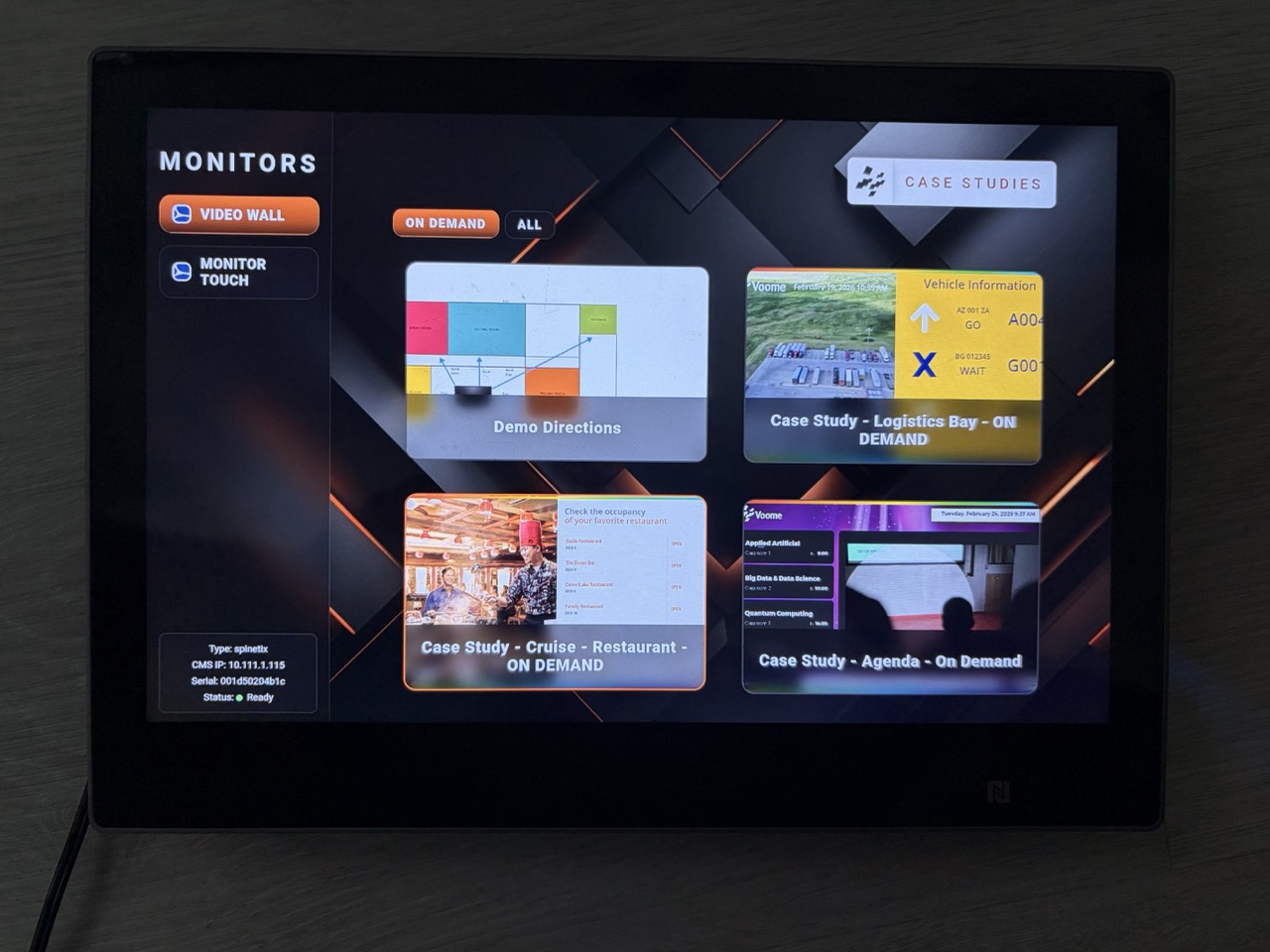
In the example below, the panel lists the monitors it can drive on the left, a video wall and a touch monitor, and each card launches a different scenario on the one selected. It also reports the type, address, and status of the target device, so the operator knows it is ready before launching anything.
🎯 This is what showrooms and demo rooms use to let a presenter drive the room from a tablet, and what control rooms use to change what a wall is showing. The same call can equally come from another system, with nobody in front of the screen: a ticketing system, a production line, or a booking platform switching the content when something happens on their side.
Touch navigation, API and socket triggers, and custom scenarios are configured for your account by the Voome team. Tell us what you want to happen on screen and we will put it together: book a demo if you are new to Voome, or open a ticket from the Support section if you are already a client.