🗓️ Date & Time
The Date & Time layer is useful for displaying dynamic date and time information. It is ideal for adding clocks, timestamps, or scheduled dates to your design, with full control over format, language, timezone, and text styling.
Works offline
The layer reads the clock of the device itself, so it keeps showing the right date and time with no network connection.
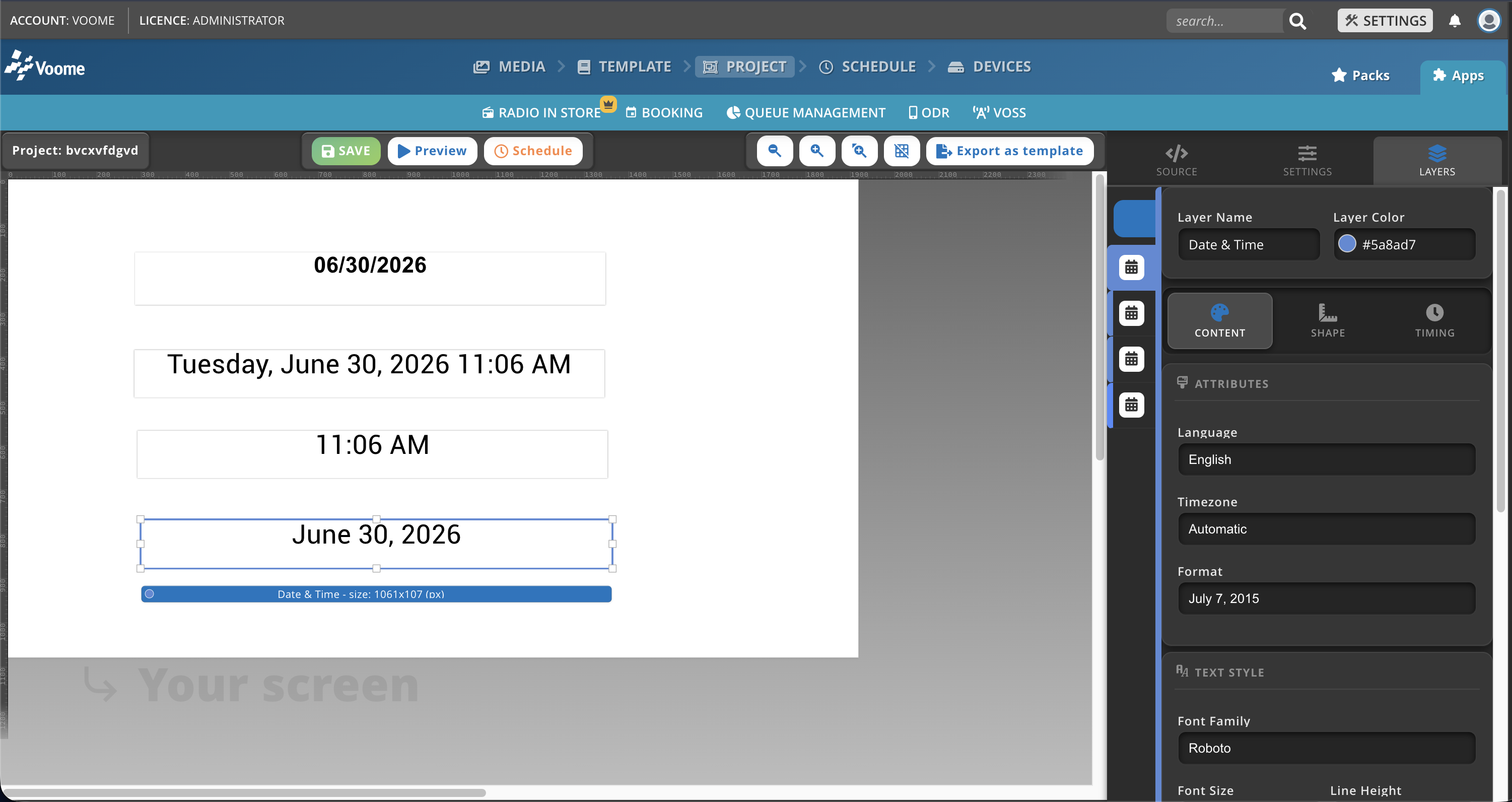
Fields
- Language: sets the chosen language when the format contains non-numeric parts.
- Timezone: set to automatic to use the device's internal timezone, or enter a specific timezone (e.g.
Europe/Rome). - Format: the date/time format to display. Available options:
07/07/20157/7/2015Jul 7, 2015July 7, 2015July 7, 2015 5:11 PMTue, Jul 7, 2015Tuesday, July 7, 2015Tuesday, July 7, 2015 5:11 PM8:308:30:25- Custom (e.g.
DD/MM/YYYY HH:mm:ss)
- Font Family: the font to use (e.g. Montserrat, News Cycle, Open Sans).
- Font Size: font size in pixels (px).
- Line Height: space between lines of text (px).
- Font Color: text color in hex format (e.g.
#FFFFFF). - Font Weight: thickness of the font.
- normal
- bold
- bolder
- lighter
- Font Style: style of the font.
- normal
- italic
- Vertical Align: vertical alignment within the layer (Top, Center, Bottom).
- Horizontal Align: horizontal alignment within the layer (Left, Center, Right, Justify).
- Text Shadow: adds a shadow to the text (e.g.
8px 10px rgba(0, 0, 0, 0.75)). - Text Transform: controls text casing.
- Inherit: keeps the text as written.
- lower case
- UPPER CASE
- Capitalize
- Bg Color: background color in hex format (e.g.
#FFFFFF). - Bg Opacity: background transparency, from 0 to 1.
- Fr Color: frame (border) color in hex format (e.g.
#FFFFFF). - Fr Border: frame thickness, as a percentage.
- Font Padding: padding around the text, in pixels.