🔷 Shapes
The Shapes layer is useful for creating rectangular or circular shapes. It is particularly handy for designing elements like lower thirds or background accents behind text.
Works offline
Everything this layer shows is published to the device together with the project, so it keeps playing with no network connection. A connection is only needed to publish your changes.
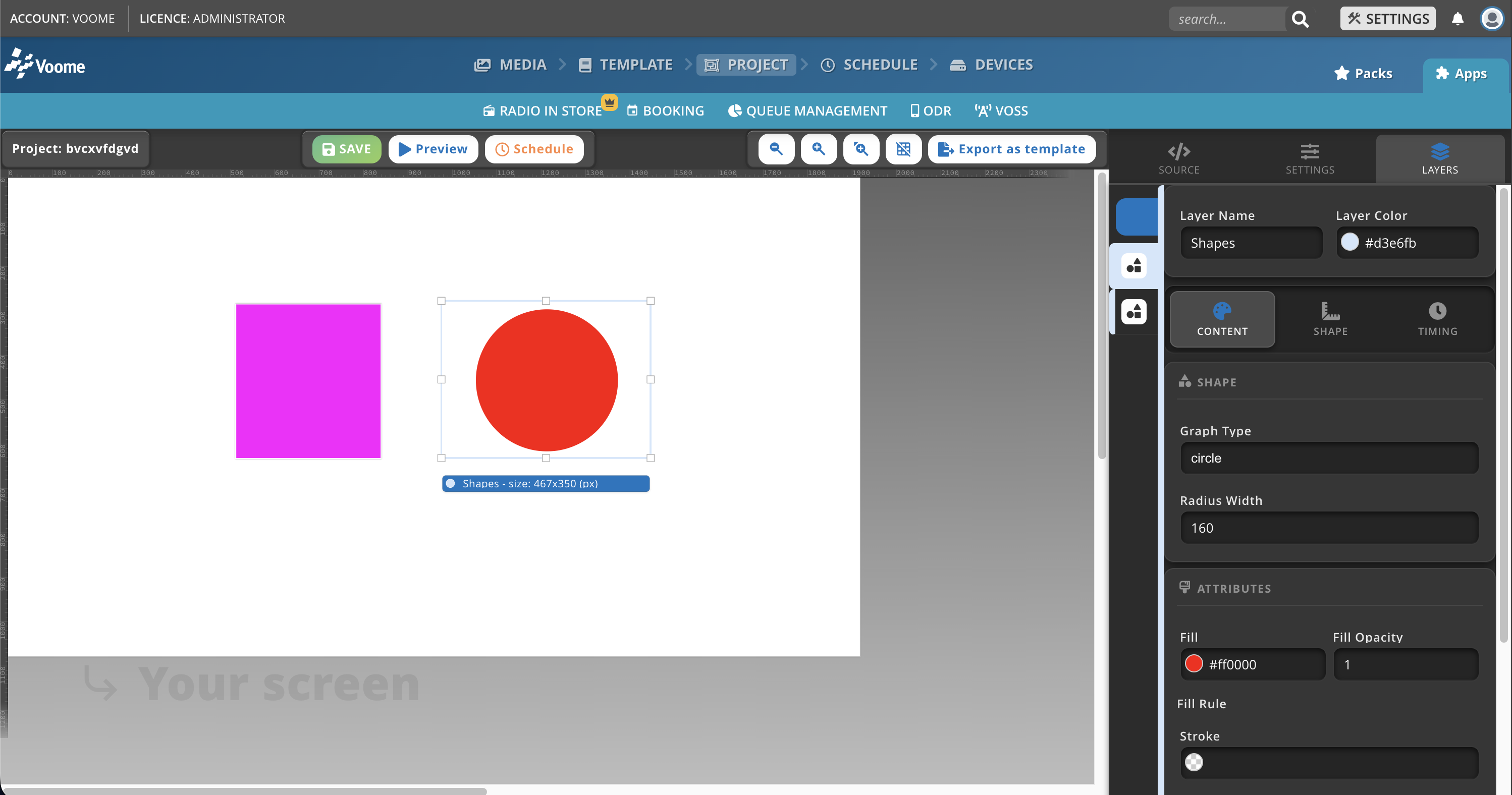
Fields
- Graph Type: defines the type of shape to draw, circle or rectangle.
- Radius width:
- For rectangles: sets the corner radius, in pixels. A higher value results in more rounded corners.
- For circles: sets the radius, in pixels. A higher value results in a larger circle.
- Fill: the fill color of the shape, defined by a hex code (e.g.
#FFFFFFfor white). - Fill Opacity: the transparency of the fill color, from 0 (fully transparent) to 1 (fully opaque).
- Stroke: the color of the shape's border, defined by a hex code.
- Stroke Opacity: the transparency of the border color, from 0 to 1.
- Stroke Width: the thickness of the border, in pixels. A value of 0 means no border.