Templates
A template is the layout that frames your content. It defines the regions (zones) on screen where media and elements will appear.
- Go to Template to open the Template Catalog.
- Filter by Orientation (Horizontal or Vertical), plus Categories, or Layers to narrow down the layouts.
- Click a template to open its details. Here you can see which plans it's Available for (Standard, Professional, Enterprise), the Layers it includes, and its Categories.
- Start from it with + New Project, or browse the Similar Templates below to compare other layouts.
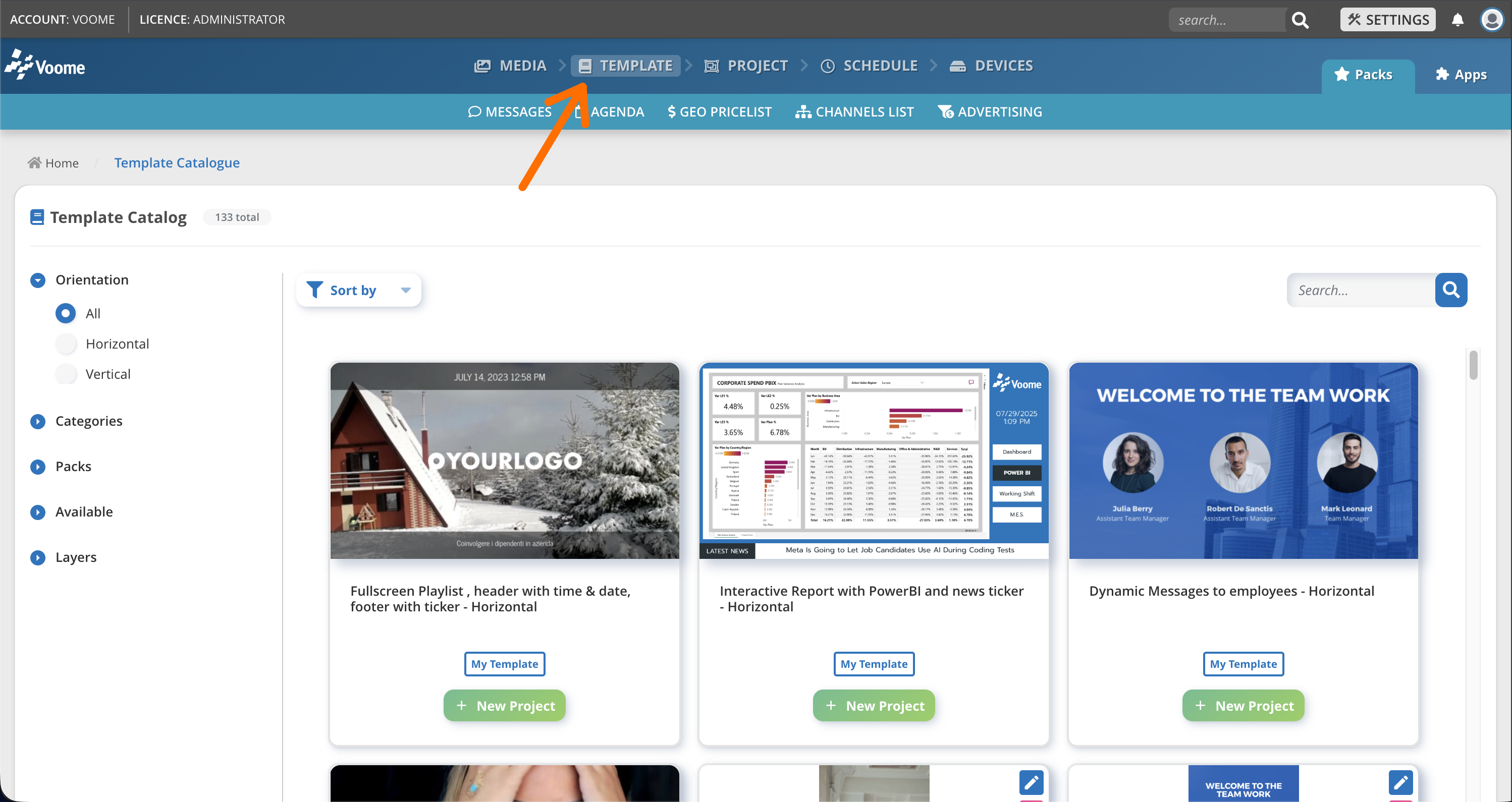 Choose a layout, click on it.
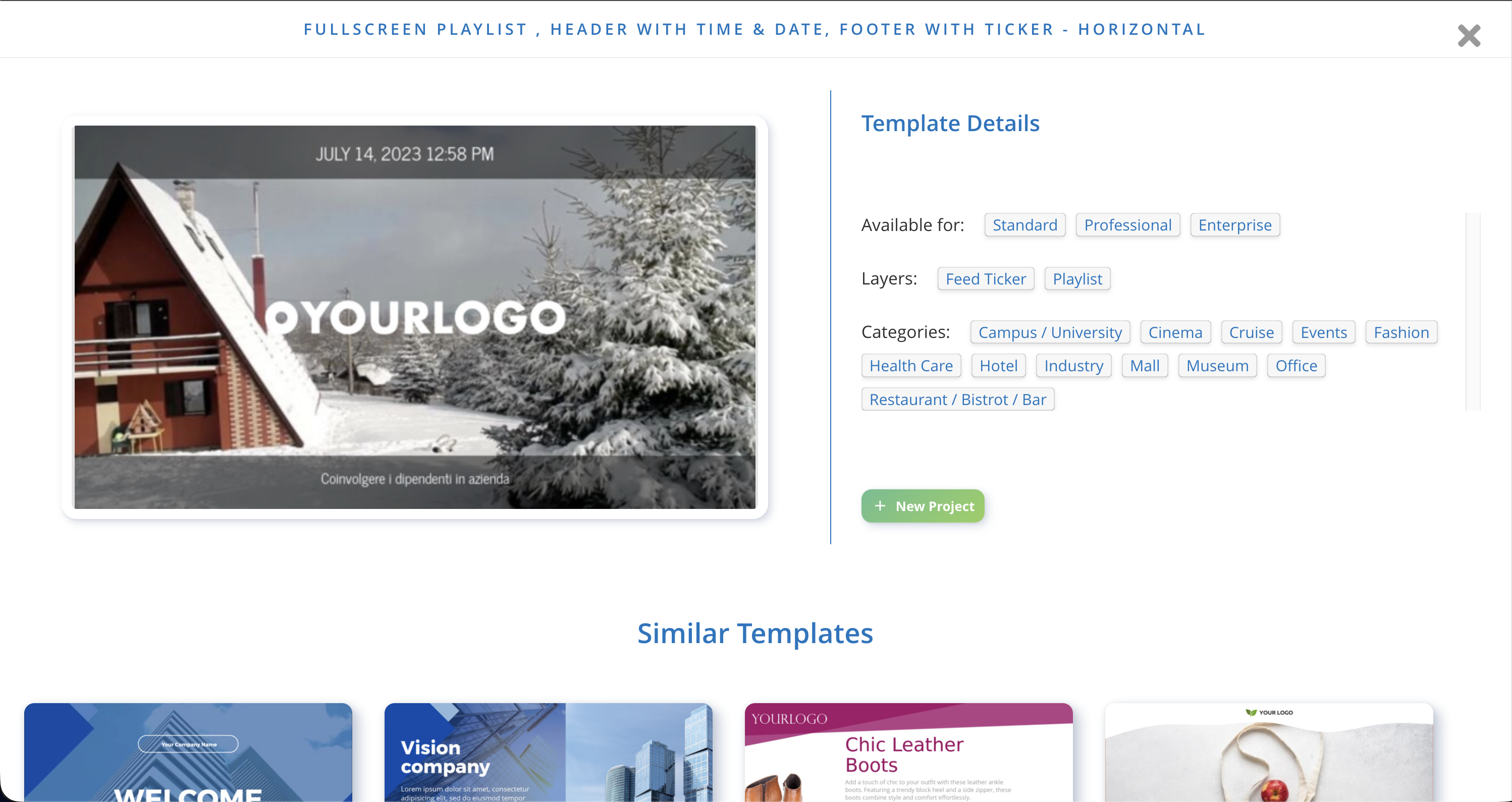 Review the template details, then create a new project from it.
Reuse templates
Pick a template that matches each screen type you manage. Starting from the same template keeps your content consistent and saves setup time on every new project.