🖥️ Signage
The screens in the waiting area do not have to choose between your content and the ticket calls: one Voome project can play your promotional content and show each call to a desk on the same screen. Customers watch your promotions while they wait, and still see their number the moment it is called.
The calls reach the screen over the local network, from the totem server of the location. The screen must therefore be a Voome device on the same network as the totem server.
Use case: promotions and desk calls on one screen
A bank branch has a waiting room with a large screen facing the seats. Customers take a ticket at the totem, then sit down and wait.
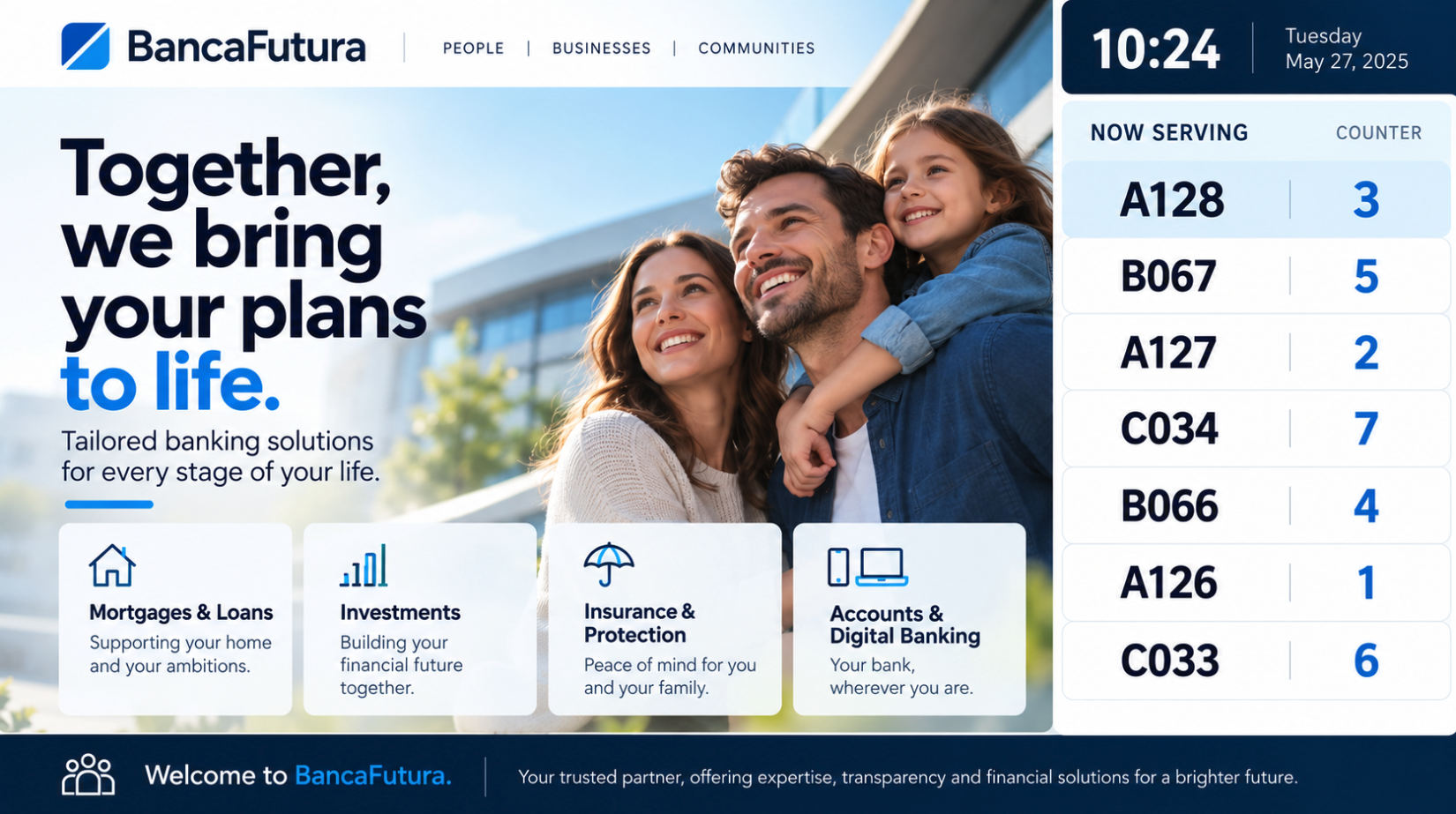
- Most of the screen plays a promotional layer: the current mortgage offer, a video about the mobile app, the branch opening hours.
- A dedicated area shows the desk calls: the ticket number and the desk to go to, for example
A12 → Desk 2. - When an operator clicks NEXT on the operator page, the new call appears on the screen straight away, with a sound if audio is enabled on the totem.
The same layout works anywhere customers wait their turn: a pharmacy, a post office, a hospital reception, a public office.
How to set it up
- Create a project for the waiting-room screen.
- Add your promotional content, for example a Playlist layer with images and videos.
- Add a Ticketing System layer in the area where the calls must appear.
- Schedule the project on the waiting-room devices and publish it.
What to write in its Source and Text fields depends on the device: the Ticketing System layer page explains it for Spinetix and for LG webOS, Samsung Tizen, and Android, with ready-made examples.