🗞️ Feed Ticker (RSS)
Il livello Feed Ticker è utile per mostrare notizie, aggiornamenti o qualsiasi contenuto dinamico proveniente da feed RSS o JSON. È ideale per creare ticker scorrevoli, titoli statici o voci a rotazione, con pieno controllo su fonte del contenuto, frequenza di aggiornamento, stile visivo e formattazione del testo.
Il dispositivo scarica questo contenuto mentre il livello è in riproduzione. Senza connessione di rete non c'è nulla da mostrare, e nessun dato nuovo arriva finché la connessione non torna.
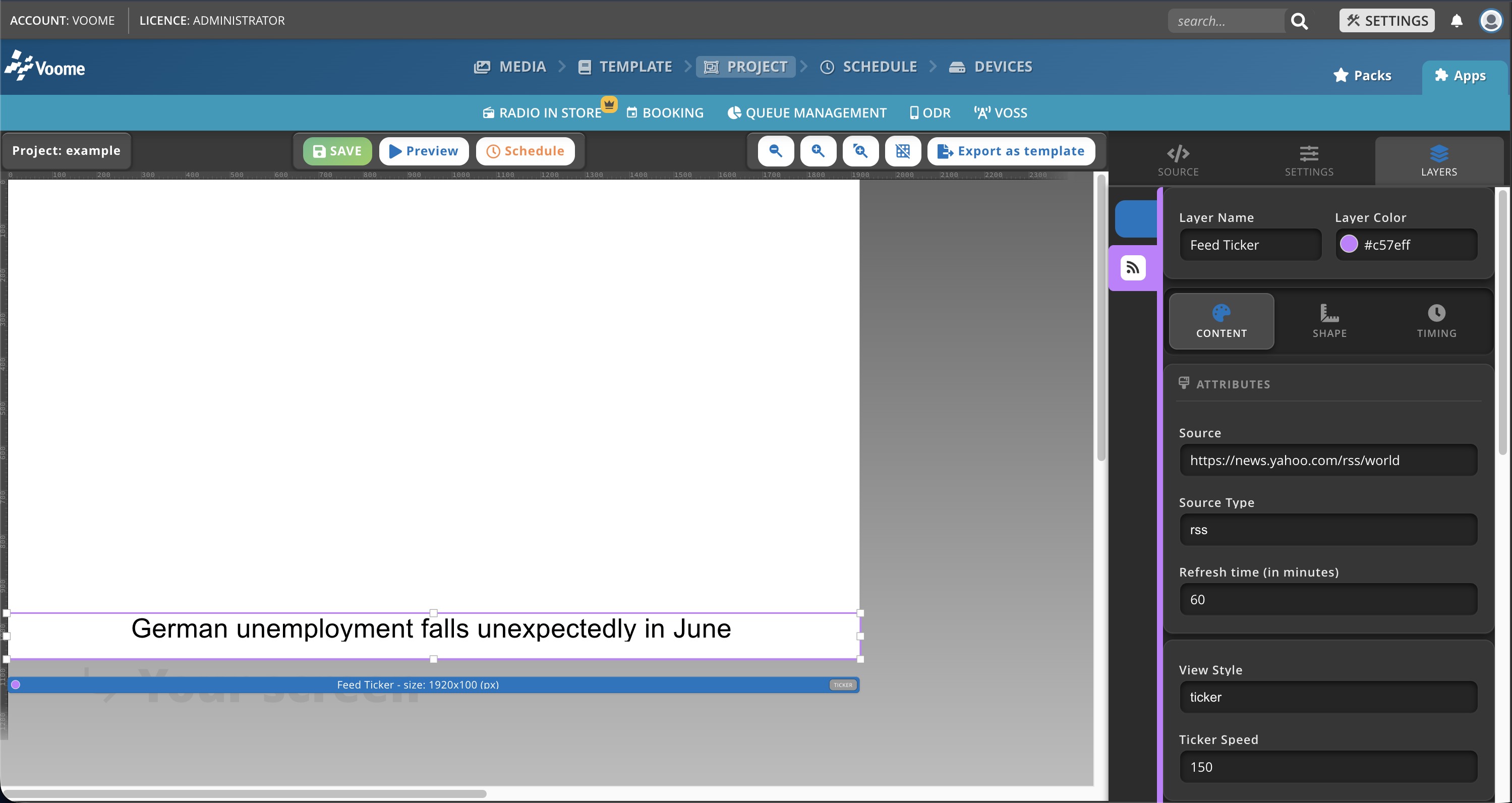
Campi del contenuto
-
Source: incolla qui l'URL del feed RSS o JSON desiderato (ad esempio
https://news.yahoo.com/rss/world).suggerimentoI siti WordPress hanno di norma un feed RSS disponibile per impostazione predefinita all'indirizzo
www.wordpress-website.com/rss. -
Source Type: seleziona il formato del feed,
rssojson. -
Refresh time (in minuti): ogni quanto il dispositivo aggiorna il feed con nuovi contenuti (60 minuti per impostazione predefinita).
-
View Style: scegli come viene mostrato il contenuto del feed.
- static: mostra una singola voce senza movimento (voce singola).
- fit: adatta il testo allo spazio del livello (voce singola).
- scrolling: fa scorrere il contenuto del feed in continuo (voce singola).
- ticker: fa scorrere le voci una alla volta (predefinito, mantieni questo per la rotazione).
-
Ticker Speed: imposta la velocità di scorrimento del testo.
- Sui dispositivi SpinetiX, più alto è il valore, più veloce è lo scorrimento.
- Sugli altri dispositivi, più basso è il valore, più veloce è lo scorrimento.
-
Text: seleziona quale informazione mostrare tra quelle del feed (assicurati che il campo scelto esista nel feed).
(this.title): mostra a rotazione i titoli delle voci (ad esempio il titolo dell'articolo).(this.description): mostra a rotazione le descrizioni delle voci.(this.link): mostra a rotazione gli URL del contenuto completo di ogni voce.(this.pubDate): mostra a rotazione le date di pubblicazione.(this.author): mostra a rotazione gli autori (facoltativo in RSS 2.0).(this.category): mostra a rotazione le categorie (facoltativo in RSS).
-
Font Family: il font da usare (ad esempio Montserrat, News Cycle, Open Sans).
-
Font Size: dimensione del font in pixel (px).
-
Line Height: spazio tra le righe di testo (px).
-
Font Color: colore del testo in formato esadecimale (ad esempio
#FFFFFF). -
Font Weight: spessore del font.
- normal
- bold
- bolder
- lighter
-
Font Style: stile del font.
- normal
- italic
-
Vertical Align: allineamento verticale all'interno del livello (Top, Center, Bottom).
-
Horizontal Align: allineamento orizzontale all'interno del livello (Left, Center, Right, Justify).
-
Text Shadow: aggiunge un'ombra al testo (ad esempio
8px 10px rgba(0, 0, 0, 0.75)). -
Text Transform: controlla il maiuscolo e minuscolo del testo.
- Inherit: mantiene il testo così come è scritto.
- lower case
- UPPER CASE
- Capitalize
-
Bg Color: colore di sfondo in formato esadecimale (ad esempio
#FFFFFF). -
Bg Opacity: trasparenza dello sfondo, da 0 a 1.
-
Fr Color: colore della cornice (bordo) in formato esadecimale (ad esempio
#FFFFFF). -
Fr Border: spessore della cornice, in percentuale.
-
Font Padding: spazio intorno al testo, in pixel.
🙋🏼 Problemi comuni
Come faccio a capire se un link è un feed RSS?
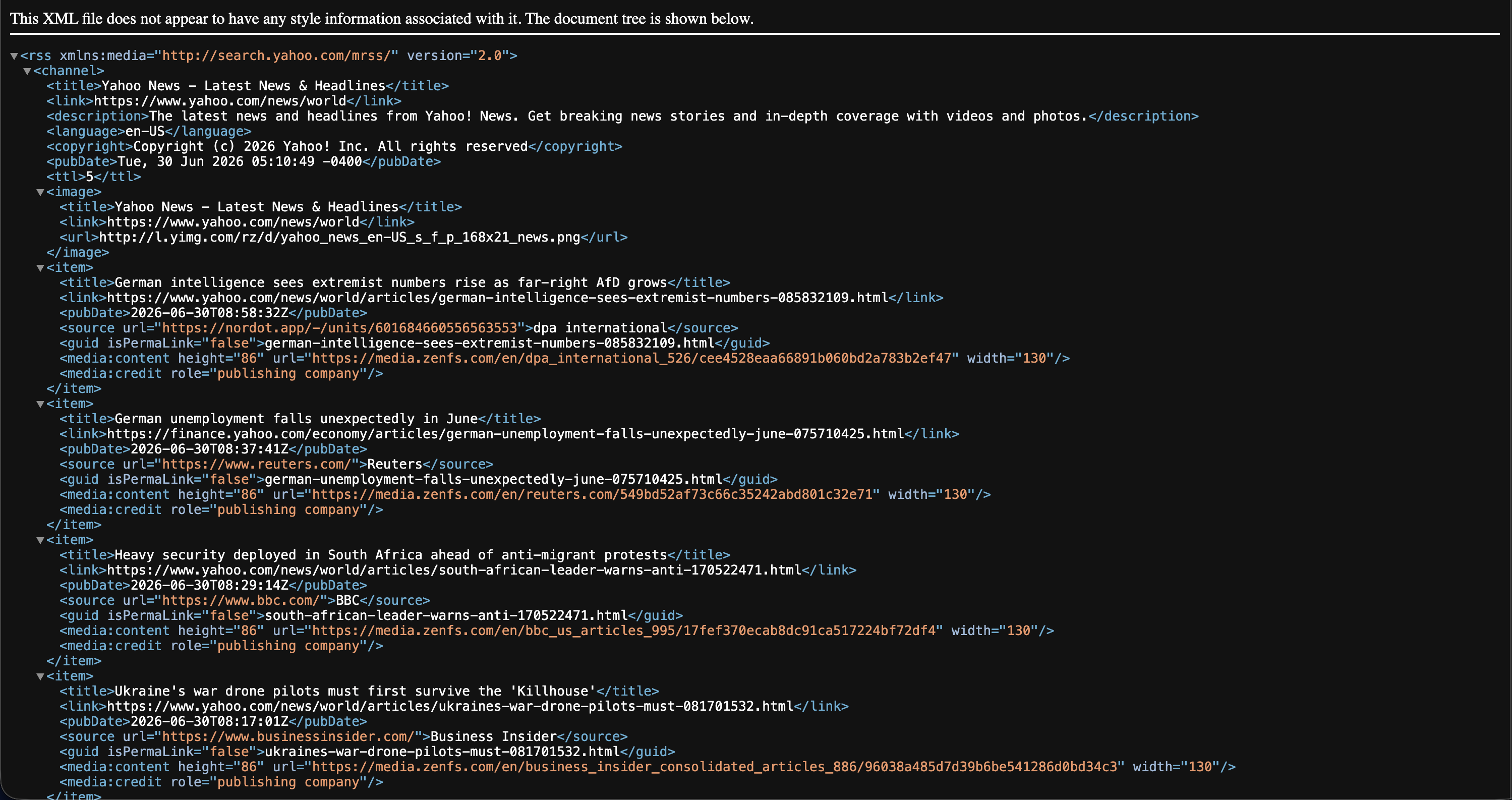
Apri il link in un browser (ad esempio https://news.yahoo.com/rss/world). Un feed RSS valido restituisce un XML strutturato invece di una normale pagina web: dovresti vedere tag come <rss>, <channel> e un elenco di voci <item>, ognuna con campi come <title>, <link> e <pubDate>.
Se invece vedi una pagina web con la sua grafica o un errore, il link non è un feed utilizzabile.
Non vedo il feed RSS nell'editor di progetto o nell'anteprima. Perché?
L'editor di progetto e l'anteprima girano nel tuo browser, che applica le restrizioni cross-origin (CORS). Molti fornitori di feed non permettono che il loro feed venga caricato da un altro sito, quindi il browser lo blocca durante l'anteprima anche quando l'URL è valido.
Di norma è una limitazione della sola anteprima. Il player sul dispositivo scarica il feed in un altro modo e non è soggetto alle regole CORS del browser, quindi pubblica il progetto sul monitor e verifica lì prima di dare per scontato che il feed non funzioni.
Non vedo il feed RSS sul monitor. Perché?
Il dispositivo ha bisogno di accesso a internet in uscita verso l'URL del feed. Se un firewall, un proxy o un filtro dei contenuti sulla tua rete blocca quell'indirizzo, il dispositivo non riesce a recuperare il feed.
Assicurati che la tua rete consenta il dominio del feed. Vedi Domini e porte, dove è indicato che vanno consentiti anche gli eventuali domini aggiuntivi usati dalla piattaforma, inclusi i feed RSS.