🔷 Shapes
Il livello Shapes è utile per creare forme rettangolari o circolari. È particolarmente comodo per costruire elementi come i lower third o gli sfondi decorativi dietro al testo.
Funziona offline
Tutto quello che questo livello mostra viene pubblicato sul dispositivo insieme al progetto, quindi continua a essere riprodotto anche senza connessione di rete. La connessione serve solo per pubblicare le tue modifiche.
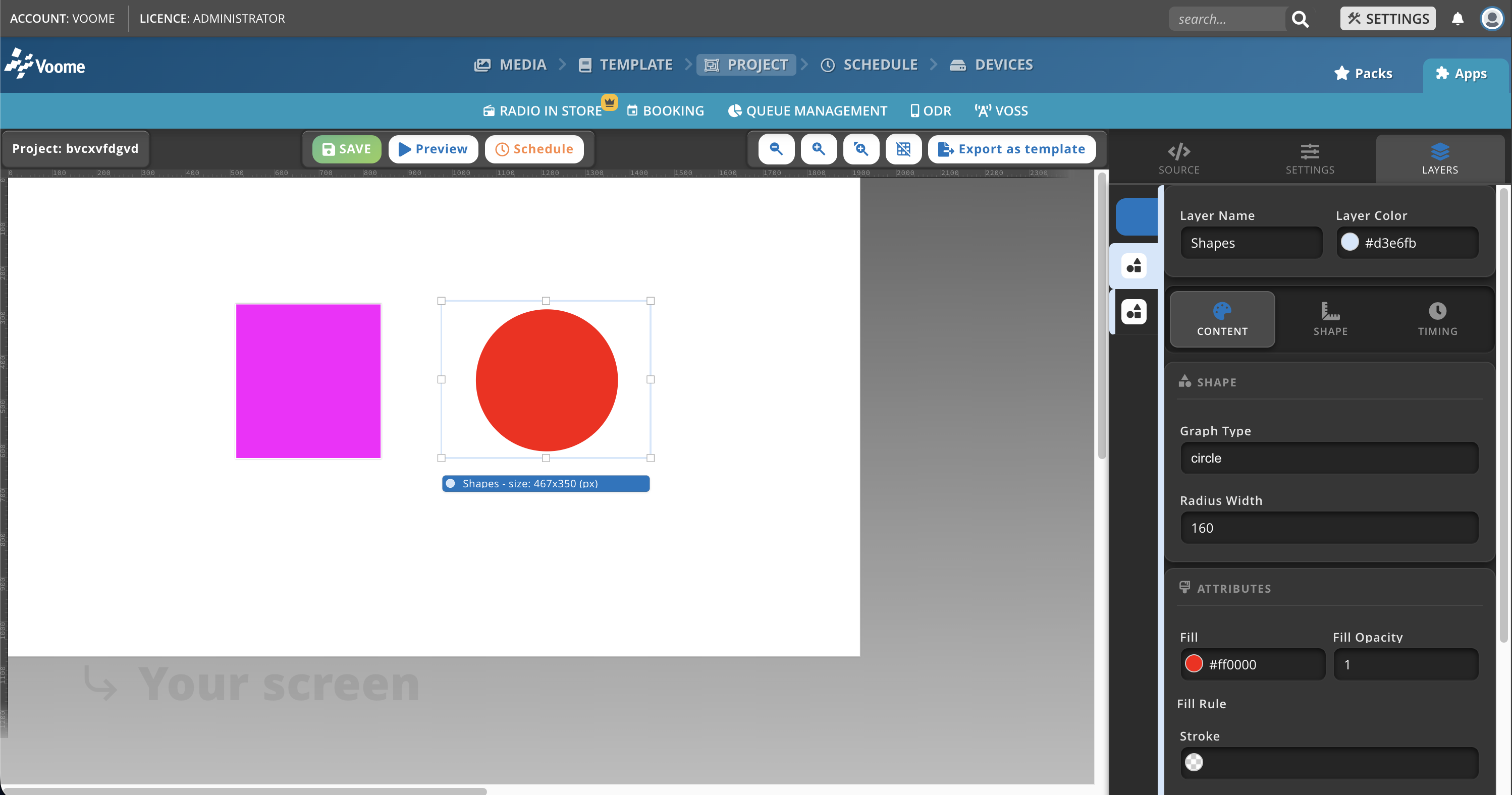
Campi
- Graph Type: definisce il tipo di forma da disegnare, cerchio o rettangolo.
- Radius width:
- Per i rettangoli: imposta il raggio degli angoli, in pixel. Più alto è il valore, più gli angoli sono arrotondati.
- Per i cerchi: imposta il raggio, in pixel. Più alto è il valore, più grande è il cerchio.
- Fill: il colore di riempimento della forma, definito da un codice esadecimale (ad esempio
#FFFFFFper il bianco). - Fill Opacity: la trasparenza del colore di riempimento, da 0 (del tutto trasparente) a 1 (del tutto opaco).
- Stroke: il colore del bordo della forma, definito da un codice esadecimale.
- Stroke Opacity: la trasparenza del colore del bordo, da 0 a 1.
- Stroke Width: lo spessore del bordo, in pixel. Il valore 0 significa nessun bordo.